
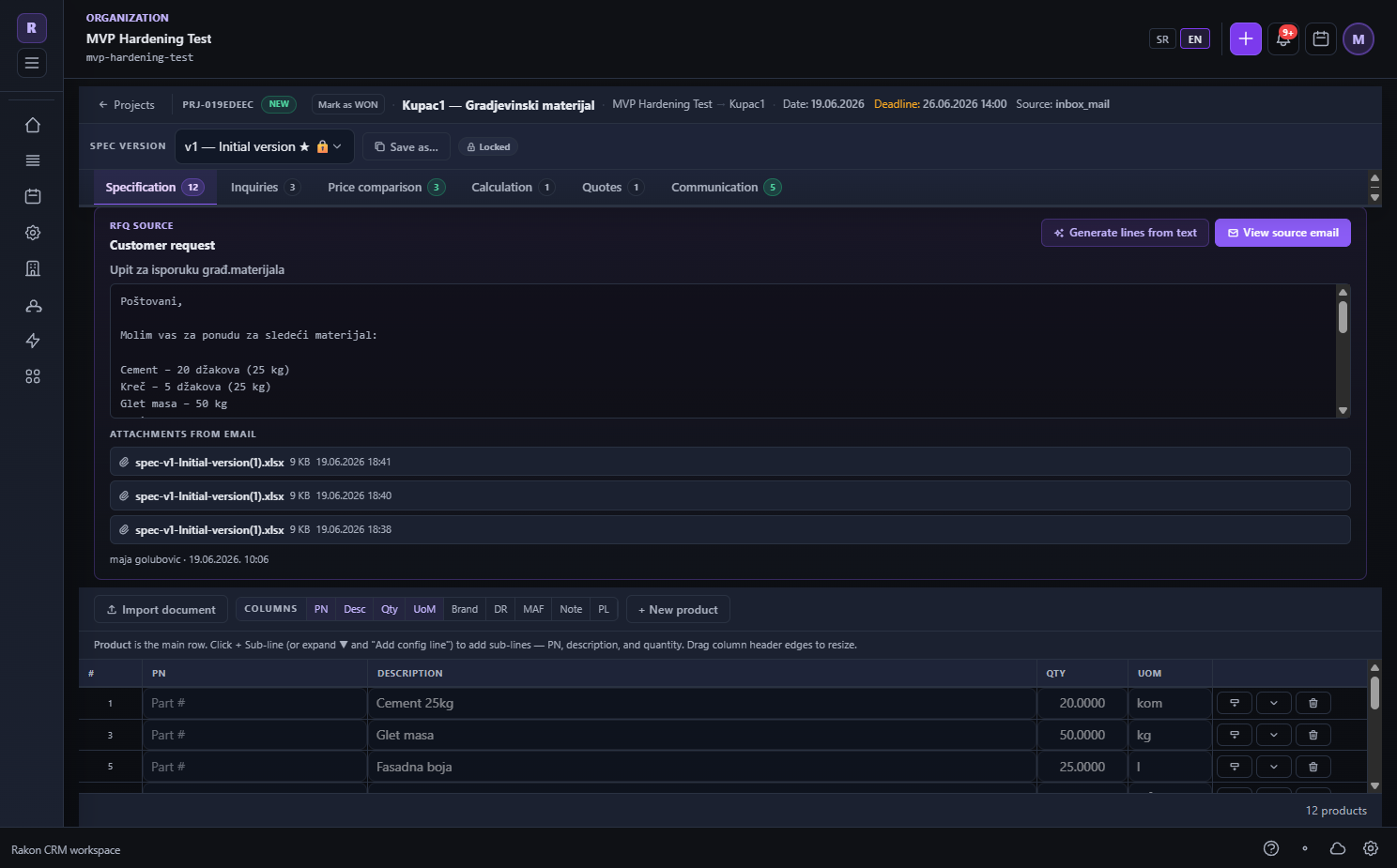
Specification and RFQ preparation
Turn the customer request into items, quantities, technical requirements and groups ready for vendor inquiries.
What this process solves
An ambiguous request becomes a controlled commercial specification vendors can price.
When to use it
- When a request arrives by email, document, text or spreadsheet.
- When multiple vendors answer the same requirement.
- When specification versions must be preserved.
How the process works
- 01
Import or create items
Enter requirements manually or from text and documents, matching Product Master where possible.
- 02
Normalize requirements
Define description, quantity, unit, technical conditions, alternatives and sourcing group.
- 03
Send the RFQ
Selected vendors receive a controlled request and responses return to the same project.
Process outcome
- Comparable vendor responses.
- Versioned specification with the original request preserved.
- Direct connection to catalog, calculation and quote.